Posts

Showing posts with the label Office365

Office365

The Pros and Cons of Office 365 For any business organization moving to the cloud can be a big and checksum deal and can be a cumbersome process  to all working within . While moving to a cloud-based system like Office 365 has some major advantages .   Let's  see if it’s right for you is to look at the major pros and cons  of Office 365 : Pros of Office 365 Work Anywhere One of the vital  advantages of Office 365 is the ability to work from anywhere as long as you have an internet connection. I t’s entirely cloud-based, can access your email, files and Office programs (Word, PowerPoint, Excel) from any place and any internet device. If you have a plan that includes desktop version of MS Office, they can be installed on up to 5 devices per user. This is especially helpful for all companies with remote working employees, multiple locations and companies with employees who travel often  to present their company . Collaborate smoothly If working...
Deployment of Provider-Hosted App Package on Azure

Image
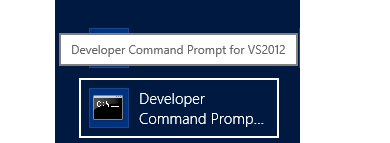
Provider-Hosted App on Azure  Step 1: In windows, search for Developer Command Prompt of VS2012 . Right click the icon and click on Run as administrator . Here use the msbuild command with the below parameters and values, which will build the solution and create a package. msbuild ".sln file path" /p:DeployOnBuild=true /p:DeployTarget=Package /p:Configuration=Release /p:PublishProfile=" FTP.pubxml file path"   /p:Password="usrPWD value” /p:AllowUntrustedCertificate=true /p:VisualStudioVersion=12.0 o    msbuild : path to .sln file of your solution o    DeployOnBuild : true o    DeployTarget : Package o    Configuration : Release o    PublishProfile : path to .pubxml file of FTP settings in ‘Profiles/PublishProfiles’ folder of AppWeb path in solution o    Password : value of userPWD from .publishSettings file that you have downloaded from azure web app ...